Frontend Data Fetching & Caching Standards (TanStack Query)
A practical, opinionated guide to standardizing data fetching with TanStack Query—covering staleTime, gcTime, volatility tiers, and cache invalidation patterns for fast, predictable React apps.

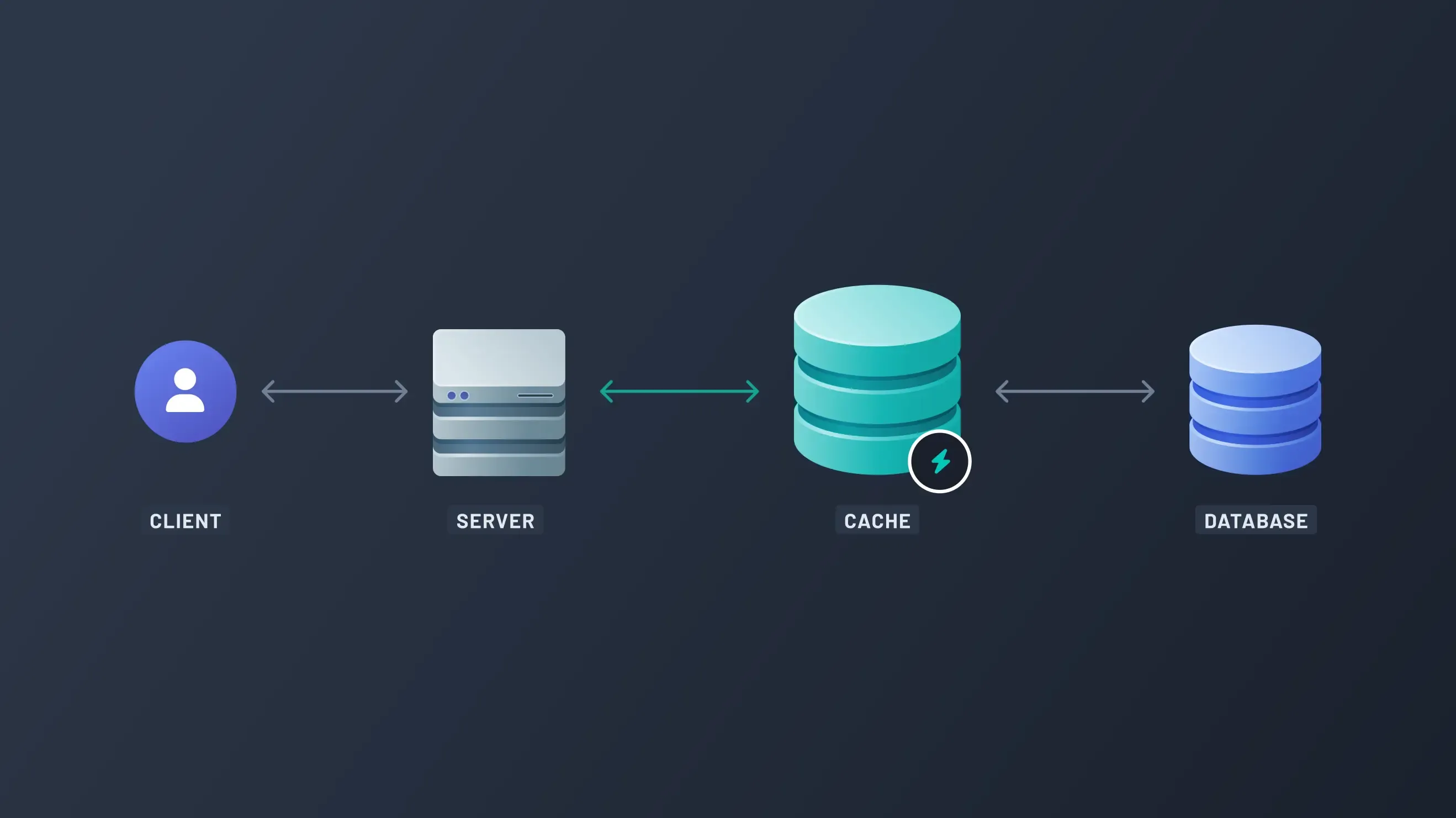
Query Caching Standards
Objective: To standardize data fetching across the application, significantly reduce unnecessary API calls when users navigate back and forth, and improve perceived application speed.
Last Updated: November 2025
Scope: React, TanStack Query
1. Core Principles: Stale Time vs. Garbage Collection
When working with TanStack Query, we manage two critical timers. Understanding these is essential for setting the right cache strategy.
1.1 StaleTime (The “Freshness” Timer)
- Definition: The duration before cached data is considered “stale.”
- Behavior: While data is fresh, the query never runs, and the component renders instantly. Once data is stale, the next time the component mounts, it will display the cached data but automatically trigger a fresh network request in the background.
- Goal: Set this high for stable data to avoid unnecessary network checks.
1.2 GcTime (The “Memory” Timer)
- Definition: The duration cached data remains in memory after it is no longer being used by any component (i.e., the component has unmounted).
- Behavior: Once the timer expires, the data is removed from the cache. The next time the query is requested, it must fetch data from scratch (no background update, just a full loading state).
- Goal: Set this long enough so a user can navigate away and quickly return to an instantly loading page.
2. Standard Caching Strategy
Our strategy is governed by the activity level (volatility) of the content, and a strict rule regarding user input screens.
2.1 The Rules of Thumb
| Use Case | Recommended Strategy | Rationale |
|---|---|---|
| Pages / Read-Only Views | Use getQueryConfig('stage'). | Reduces server load. The small performance hit of seeing “stale” data for a moment while it refreshes is acceptable for fast navigation. |
| Forms / Modals / Input Screens | Always set staleTime: 0. | User input must be based on the most accurate data. We prevent data conflicts by always forcing a refetch (or manual invalidation) when these screens load. |
| Data Lists / Tables | Use short or medium. | These change frequently due to other team members’ actions. |
3. The Volatility Tiers (QueryStage Presets)
We use four predefined QueryStage tiers. Developers must select the stage that best reflects how often the data changes.
| QueryStage | Rationale (Volatile) | StaleTime (When to check) | gcTime (When to delete) |
|---|---|---|---|
| short | Highly volatile data, shared by many users, or critical status updates (e.g., live candidate stage updates, log messages). | 10 seconds | 5 minutes |
| medium | Standard lists, shared settings, or user-specific data (e.g., list of internal users, project metadata). | 2 minutes | 10 minutes |
| long | Semi-static global data that rarely changes (e.g., list of professions, company names, document templates). | 10 minutes | 30 minutes |
| infinite | Truly static or versioned data (e.g., app feature flags, static configuration objects). | Infinity | Infinity |
3.1 Preset Times (Reference)
export type QueryStage = 'short' | 'medium' | 'long' | 'infinite';

const presetTimes: Record<QueryStage, { staleTime: number; gcTime: number }> = {
  // 10s stale, 5min gc
  short: { staleTime: 10000, gcTime: 300000 },

  // 2min stale, 10min gc
  medium: { staleTime: 120000, gcTime: 600000 },

  // 10min stale, 30min gc
  long: { staleTime: 600000, gcTime: 1800000 },

  // never stale, never gc
  infinite: { staleTime: Infinity, gcTime: Infinity },
};

// Default configs applied to every query in our system
export function getQueryConfig(stage: QueryStage): QueryConfigs {
  return {
    ...presetTimes[stage],
    retry: false, // We handle errors gracefully, don't retry by default
    refetchOnWindowFocus: true, // We want data to be accurate when the user switches tabs
    refetchOnReconnect: true, // Crucial for apps often used on unstable networks
  };
}
4. Implementation Guide
All custom data-fetching hooks must utilize the getQueryConfig utility.
4.1 Standard Hook Structure
import { useQuery } from '@tanstack/react-query';
import { getQueryConfig } from '@/utils/queryUtils'; // Assuming this path

// 🛠️ The developer must choose the appropriate stage for this data.
const QUERY_PRESET = 'medium';
const QUERY_KEY = ['internal-user-list'];

export const useInternalUsers = () => {
  return useQuery({
    queryKey: QUERY_KEY,
    queryFn: () => userService.fetchInternalUsers(), // Your API call

    // 🔑 Implementation: Pass the chosen stage to the config utility
    ...getQueryConfig(QUERY_PRESET),
  });
};
4.2 Handling Mutations and Invalidations
When data is changed (e.g., submitting a user form), the cache must be explicitly invalidated to ensure pages reflect the fresh data immediately.
import { useMutation, useQueryClient } from '@tanstack/react-query';

export const useUpdateUser = () => {
  const queryClient = useQueryClient();

  return useMutation({
    mutationFn: (userData) => userService.updateUser(userData),

    onSuccess: () => {
      // 🔑 Invalidate the cache for the user list so it refetches immediately
      queryClient.invalidateQueries({ queryKey: ['internal-user-list'] });
    },
  });
};Let's Build Something Scalable
We apply these same engineering principles to client projects. Ready to upgrade your stack?